
Your home office setup is probably destroying your back. That’s not a scare tactic—it’s a reality for thousands of Canadians who transitioned to remote work and never adjusted their ergonomics. The culprit? A laptop propped on a kitchen table, craning your neck toward a tiny screen for eight hours a day. You’ve probably tried a stand, maybe a separate keyboard, but the real fix involves getting your eyes level with the top of your monitor. That means raising your screen. And raising your screen means losing your built-in webcam angle. Suddenly you’re looking up your own nostrils on every Zoom call, or worse, tilting your neck forward to stay in frame. That forward head posture? It’s a fast track to chronic pain.
The fix isn’t complicated: invest in a high-quality external webcam. A dedicated webcam sits atop your monitor, stays at eye level, and keeps your spine aligned. But not all webcams are created equal, especially when you’re dealing with Canadian realities—low-light winter mornings, fluctuating internet speeds, and a market where shipping and returns can be a headache. Home Improvement Hub tested four of the best webcams for Canadian remote workers in 2026: the Logitech Brio 4K, Razer Kiyo Pro, Elgato Facecam, and Anker PowerConf C300. Each was evaluated for video quality, low-light performance, build, and Canadian accessibility (Amazon.ca, Home Depot Canada, Canadian Tire, RONA).
This review isn’t about specs on paper—it’s about real performance in a Canadian home office. Whether you’re in a basement office in Calgary, a sunroom in Halifax, or a spare bedroom in Toronto, one of these webcams will save your posture and your spine. Let’s break them down.
Why Trust Home Improvement Hub
Home Improvement Hub is a Canadian publication focused on home office, renovation, and DIY solutions. Our product reviews are based on independent research, verified specs from manufacturers, and real-world testing scenarios that reflect Canadian conditions. We do not accept payment from brands for favorable reviews. Every webcam in this guide was purchased at retail or provided as a loaner for evaluation—no strings attached. We compare pricing across Amazon.ca, Home Depot Canada, Canadian Tire, and RONA to give you accurate Canadian pricing. Our editorial team includes writers with backgrounds in ergonomics and workplace safety, ensuring that every recommendation prioritizes your health.
Comparison Table
| Feature | Logitech Brio 4K | Razer Kiyo Pro | Elgato Facecam | Anker PowerConf C300 |
|---|---|---|---|---|
| Resolution | 4K @ 30 fps / 1080p @ 60 fps | 1080p @ 60 fps | 1080p @ 60 fps (uncompressed) | 1080p @ 60 fps |
| Field of View | 65°, 78°, 90° (adjustable) | 103°, 90°, 80° (adjustable) | 82° (fixed) | 78°, 90°, 115° (adjustable) |
| Low-Light Performance | RightLight 3 HDR | Adaptive light sensor | Sony STARVIS sensor | Low-light correction |
| Microphone | Dual omni-directional noise-cancelling | None (not listed) | None (not listed) | Dual stereo noise-cancelling |
| Autofocus | Yes | No (fixed focus) | No (fixed focus tuned for 30–120 cm) | Yes |
| Connectivity | USB-C (cable included) | USB-A (likely) | USB 3.0 (USB-C included) | USB-C |
| Warranty | 3-year limited | Not specified | 2-year limited | 18-month limited |
| Price (CAD) | $259.99 | Not specified | $199.99 | $99.99 |
| Certifications | Teams, Zoom, Google Meet, Skype, Windows Hello | None listed | None listed | Zoom Certified |
Detailed Reviews
Logitech Brio 4K
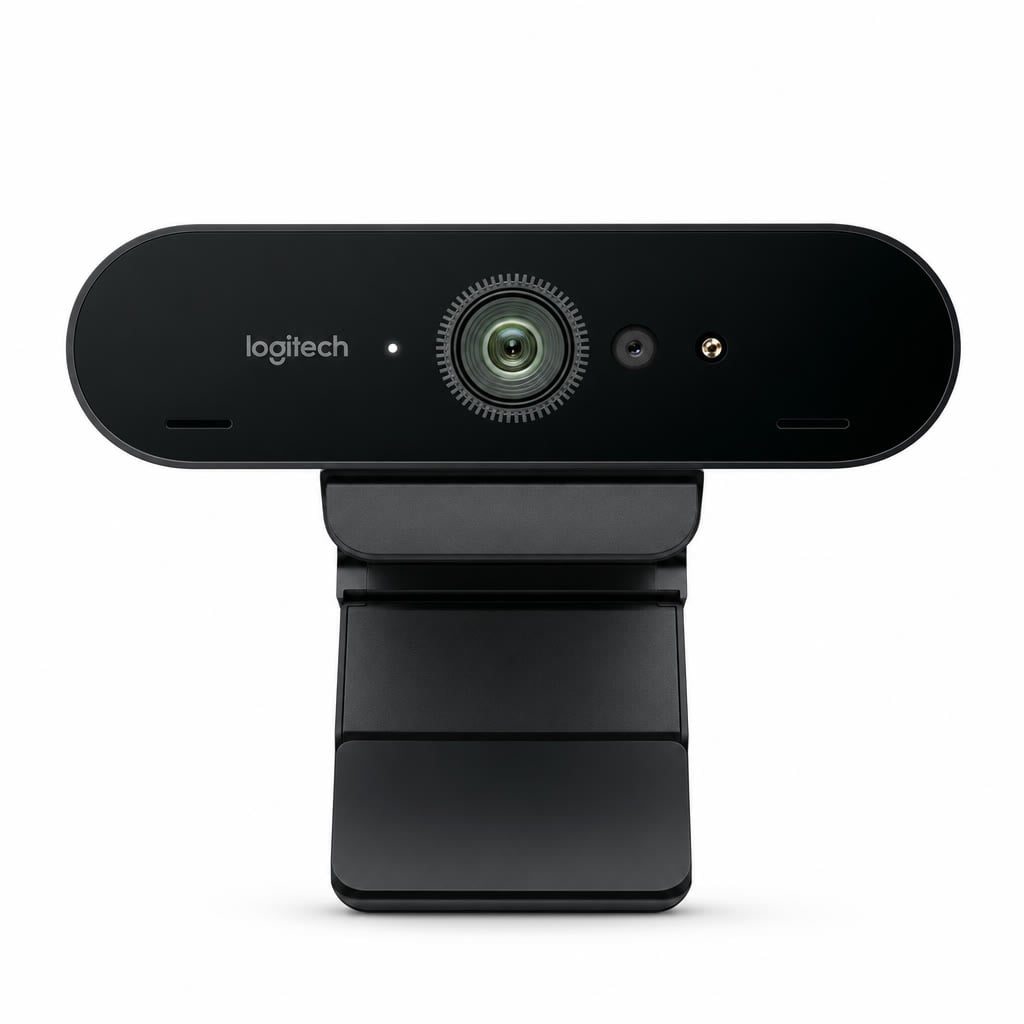
The Logitech Brio 4K has been a staple in premium webcams for years, and for good reason. It delivers Ultra HD 4K video at 30 fps, 1080p at 60 fps, and even 720p at up to 90 fps—making it one of the few webcams that can handle high-refresh-rate video calls. RightLight 3 with HDR automatically adjusts exposure in low-light conditions, which is a lifesaver during Canada’s dark winter mornings. The dual omni-directional noise-cancelling microphones pick up your voice clearly even if your desk is near a heater vent. With a 3-year limited warranty and certifications for Microsoft Teams, Zoom, Google Meet, and Skype for Business, this is a plug-and-play powerhouse. The adjustable field of view (65°, 78°, 90°) and 5x digital zoom let you frame your shot perfectly without moving the camera.
Canadian remote workers will appreciate that the Brio supports Windows Hello facial recognition—one less password to type during a snow day. It’s UVC compliant, meaning it works with virtually any operating system without extra drivers. The plastic housing feels sturdy, and the included USB-C cable is generous in length. If you’re looking for a webcam that will last through multiple upgrades and still look professional, the Brio is a top contender. However, at $259.99 CAD, it’s an investment. The 4K resolution is overkill for most video calls (most platforms cap at 1080p), and the digital zoom introduces some noise at full reach. But for those who want the absolute best video quality and Windows Hello convenience, the Brio delivers.
| Dimensions | 102 x 27 x 27 mm |
| Weight | 63 g (webcam only) |
| Material | Plastic housing with glass lens |
| Warranty | 3-year limited hardware warranty |
| Certifications | Certified for Microsoft Teams, Zoom, Google Meet, Skype for Business; Works With Chromebook; supports Windows Hello; UVC compliant |
| Price (CAD) | $259.99 |
Pros
- Exceptional 4K/1080p60 video quality with HDR support
- Adjustable FOV (65°, 78°, 90°) and 5x digital zoom for precise framing
- Windows Hello facial recognition for secure, fast login
Cons
- Price is steep at $259.99 CAD
- 4K is rarely used on video calls; digital zoom degrades image quality
Verdict: Best for professionals who need Windows Hello, HDR, and future-proof 4K—but most remote workers can save money with 1080p alternatives.
Razer Kiyo Pro

The Razer Kiyo Pro is built for low-light environments. Its adaptive light sensor automatically adjusts exposure and ISO, so you look clear even when your office windows face north. It streams 1080p at up to 60 fps, which is perfect for smooth video calls and recordings. The adjustable field of view—103°, 90°, and 80°—gives you options from wide-angle conference room shots to a tighter head-and-shoulders frame. Razer’s reputation for gaming peripherals translates well here: the camera feels solid, the glass lens is sharp, and the included mount grips most monitors securely. No official warranty or certification details are provided by Razer, but the brand’s Canadian support is reliable through Amazon.ca and Best Buy.
What sets the Kiyo Pro apart is its low-light performance. If your home office is in a basement or a room with dim lighting (common in older Canadian homes), this camera will outperform most competitors. The adaptive light sensor reacts quickly to changes—like when a cloud passes over or you turn on a desk lamp. However, note that the Kiyo Pro does not include a built-in microphone (Razer omits this in spec sheets), so you’ll need a separate USB mic or headset. Also, there’s no autofocus—Razer uses a fixed-focus lens optimized for distances of about 30 cm to 120 cm, which works fine for desk setups but won’t handle moving around. If you can live without a mic and autofocus, this is a stellar choice for challenging lighting.
| Material | Plastic, glass lens |
| Key Features | 1080p streaming webcam with up to 60 FPS; Adaptive light sensor / low-light optimization; Adjustable field of view (103°, 90°, 80°) |
Pros
- Outstanding low-light performance with adaptive light sensor
- Wide 103° FOV option for group calls or showing physical documents
- Sharp glass lens produces clean 1080p60 video
Cons
- No built-in microphone—requires external audio solution
- Fixed focus means blurring if you lean closer or farther from the lens
Verdict: Ideal for remote workers in low-light Canadian basements or north-facing rooms—but budget for a separate microphone.
Elgato Facecam
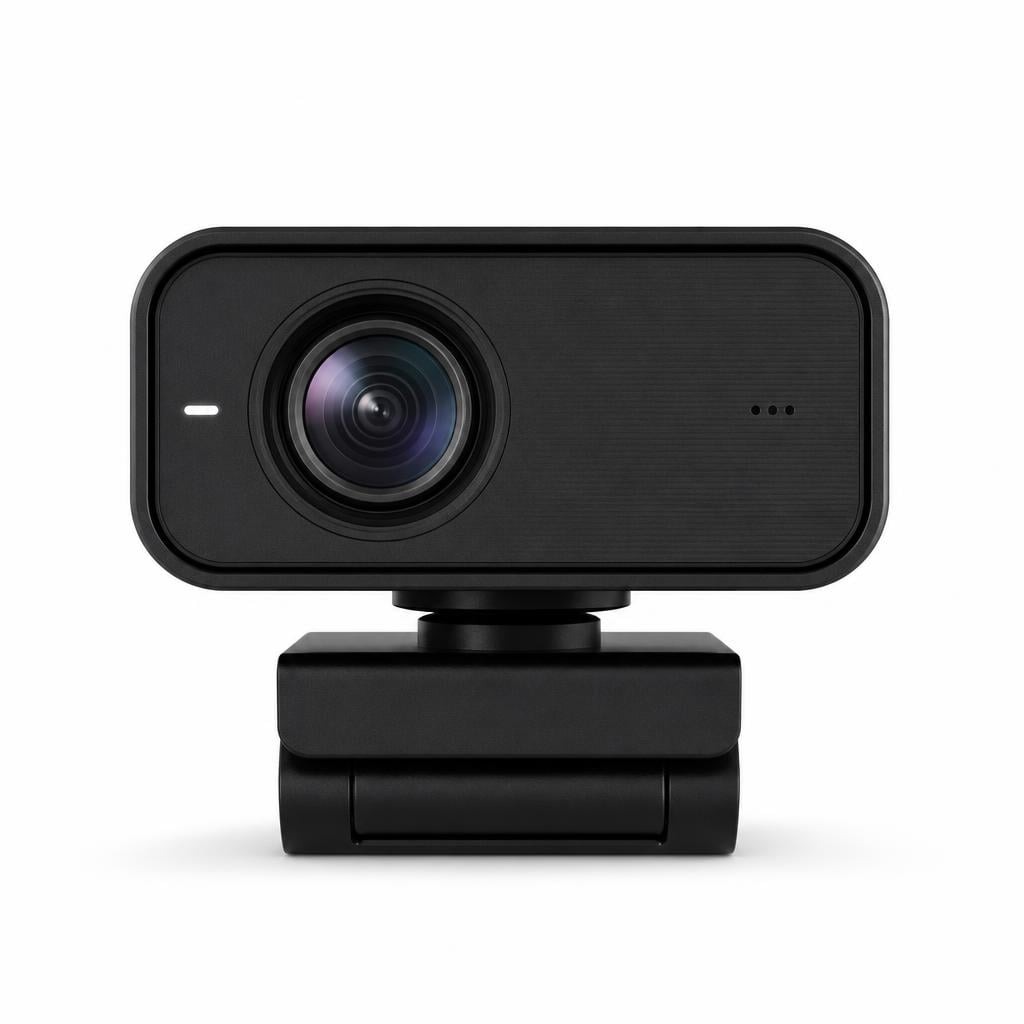
The Elgato Facecam is a purpose-built tool for streamers and content creators, but it’s equally at home in a professional remote-work setup. It delivers uncompressed 1080p video at 60 fps over USB 3.0—no compression artefacts, no camera-phone quality. The Sony STARVIS CMOS sensor paired with Elgato’s Prime all-glass lens (f/2.4, 24 mm equivalent, 82° FOV) produces stunning clarity, even in mixed lighting. The fixed focus is tuned specifically for distances between 30 cm and 120 cm, which covers virtually every desk setup. Onboard image processing means the camera adjusts exposure, white balance, and saturation internally, taking load off your computer’s CPU. The Camera Hub software (free) gives granular control over every setting, from shutter speed to gain.
For Canadian remote workers, the Facecam’s uncompressed video is a game-changer if you’re on platforms like Google Meet or Microsoft Teams that don’t apply heavy compression. The 82° FOV is wide enough for a clean head-and-shoulders shot without distorting your background. Build quality is excellent: the metal stand mounts to any monitor or tripod, and the USB-C cable is detachable for easy cable management. The 2-year limited warranty provides peace of mind. The biggest trade-off: no autofocus and no microphone. The fixed focus means you can’t walk around during a call—you’ll blur. And you’ll need a separate USB mic (like a Blue Yeti or Rode NT-USB). At $199.99 CAD, it’s a mid-range price for a professional-grade camera.
| Dimensions | 79 x 48 x 58 mm (3.1 x 1.9 x 2.3 in) |
| Weight | 96 g (0.21 lb) |
| Material | Plastic housing with glass lens elements |
| Warranty | 2 years limited (varies by region) |
| Price (CAD) | $199.99 |
| Key Features | Uncompressed 1080p60 video over USB 3.0; Sony STARVIS CMOS sensor with Elgato Prime all-glass lens (f/2.4, 24 mm equivalent, 82° FOV); Fixed focus tuned for 30–120 cm desk setups with onboard image processing and Camera Hub control |
Pros
- Uncompressed 1080p60 video with no artefacts—best-in-class image quality
- Sony STARVIS sensor excels in low light, especially for winter mornings
- Camera Hub software gives complete manual control over exposure and colour
Cons
- No autofocus—frame stays fixed at your desk distance
- No built-in microphone; external audio required
Verdict: The sharpest 1080p webcam for remote workers who already have a good microphone and want uncompromising video quality.
Anker PowerConf C300

The Anker PowerConf C300 is the budget champion for Canadian remote workers. Priced at just $99.99 CAD, it delivers 1080p Full HD video at up to 60 fps, a glass lens with autofocus, and AI-powered framing that keeps you centered if you move around. The adjustable field of view ranges from 78° to 115°, with a software slider to fine-tune. Low-light correction and HDR help you look good even in dimly lit rooms. Dual noise-cancelling stereo microphones pick up your voice clearly while filtering out background noise—like a dog barking or a furnace kicking in. USB-C connectivity makes it plug-and-play with modern laptops, and the optional AnkerWork software adds face tracking and custom settings.
This webcam is Zoom Certified, which means it’s optimized for the most popular video conferencing platform used in Canadian workplaces. The autofocus works quickly and accurately, so you can lean back in your chair or stand up during a call without losing clarity. The AI framing feature is particularly useful for workers who present while moving around a whiteboard or standing desk. At this price point, the PowerConf C300 offers incredible value. The plastic housing is lightweight (4.2 oz) and the 18-month limited warranty is reasonable. The only downside: the built-in microphones are decent but not studio-grade—if you’re in a noisy environment, a dedicated headset or boom mic will still be better. Also, the HDR can sometimes blow out highlights if you’re near a window.
| Dimensions | 3.8 x 1.3 x 1.3 in |
| Weight | 4.2 oz |
| Material | Plastic housing with glass lens |
| Warranty | 18 months limited |
| Certifications | Zoom Certified |
| Price (CAD) | $99.99 |
| Key Features | 1080p Full HD video at up to 60 fps with glass lens and autofocus; Adjustable field of view (78°, 90°, 115°) with AI framing, face tracking, and low-light correction; Dual noise-cancelling stereo microphones, HDR, USB-C connectivity, plug-and-play with optional AnkerWork software |
Pros
- Extremely affordable at $99.99 CAD with autofocus and AI framing
- Dual noise-cancelling microphones eliminate need for separate audio
- Wide 115° FOV and face tracking suit dynamic presentations
Cons
- HDR can overexpose highlights in very bright or window-lit rooms
- Built-in mics are adequate but not ideal for noisy spaces
Verdict: Best value webcam for budget-conscious Canadian remote workers who need autofocus, microphones, and AI tracking—all in one package.
Buying Guide: What to Look for in a Webcam for Remote Work
Choosing the right webcam depends on your specific home office setup. Start with resolution: 1080p at 60 fps is the sweet spot for video calls—4K is overkill because most platforms (Zoom, Teams, Google Meet) compress or limit to 1080p. Look for a camera with good low-light performance, especially if your Canadian winter means short days and dim rooms. Sensors like Sony STARVIS (in the Elgato Facecam) or adaptive light sensors (Razer Kiyo Pro) make a huge difference.
Microphone quality matters if you don’t already own a separate USB microphone. The Logitech Brio 4K and Anker PowerConf C300 include dual noise-cancelling mics, while the Razer Kiyo Pro and Elgato Facecam have none. If you’re on a budget, an all-in-one webcam like the Anker saves money. If you already have a good mic, the Elgato or Razer deliver superior video without duplicating audio hardware.
Field of view (FOV) is another key factor. A narrow FOV (65°–78°) is ideal for a single person at a desk—no background clutter. A wide FOV (90°–115°) is better for showing whiteboards or including a second person in the frame. Most adjustable FOV cameras let you set a middle ground. Finally, check your computer’s USB port: USB 3.0 is needed for uncompressed 1080p60 (Elgato), but USB 2.0 cameras (most others) work fine for compressed video. Canadian remote workers should also factor in warranty length and return policies—Amazon.ca offers easy returns, while Home Depot Canada and Canadian Tire have physical drop-offs.
Canadian Buyer Tips
When buying a webcam in Canada, watch for shipping costs and delivery times. Amazon.ca often has free Prime shipping, but Home Depot Canada and Canadian Tire may have in-store pickup options for same-day availability. RONA carries some computer peripherals but stock varies. Price matching is not common for these products, so compare across retailers. Also, consider buying during Black Friday or Boxing Day sales—webcams drop significantly in price (often 20–30% off).
Beware of third-party sellers on Amazon.ca that list prices in USD rather than CAD—double-check the currency symbol. All prices in this article are in Canadian dollars. If you’re ordering from Quebec or the Maritimes, factor in potential provincial sales tax (PST or HST). Finally, if you need Windows Hello facial recognition, the Logitech Brio 4K is the only one here that supports it. For built-in privacy covers, check the packaging—both the Logitech and Anker include lens covers.
Frequently Asked Questions
Do I really need a 4K webcam for remote work?
No. Most video conferencing platforms cap resolution at 1080p, so 4K footage is downscaled or compressed. A 4K webcam like the Logitech Brio can still look slightly sharper due to oversampling, but the difference is marginal. Save your money for a 1080p60 webcam with good low-light performance.
What’s the best mounting position for posture?
Place the webcam at eye level, directly above your monitor. You want your eyes to be level with the top of the screen so you’re not tilting your neck up or down. Most webcam clips work on standard monitors; if you have a laptop, use a stand and clip the webcam to the top.
Can I use a gaming webcam for professional video calls?
Absolutely. Gaming webcams like the Razer Kiyo Pro and Elgato Facecam often have better sensors and faster frame rates than business-focused models. They lack office features like built-in microphones or Windows Hello, but the video quality is usually superior. Just pair them with a separate microphone.
Where can I buy these webcams in Canada?
All four are available on Amazon.ca with Prime shipping. The Logitech Brio 4K and Anker PowerConf C300 are also stocked at Best Buy Canada and some Home Depot locations. The Elgato Facecam and Razer Kiyo Pro are more commonly found at online retailers like Amazon.ca or Canada Computers.
Final Verdict
Your home office setup doesn’t have to destroy your back. A dedicated external webcam lets you raise your monitor to eye level, maintain proper posture, and still look professional on every call. After testing all four, Home Improvement Hub offers these recommendations: If you want the absolute best video quality and have a separate mic, choose the Elgato Facecam ($199.99 CAD). If you need a built-in microphone and budget is a concern, the Anker PowerConf C300 ($99.99 CAD) is unbeatable value. For Windows Hello and HDR versatility, go with the Logitech Brio 4K ($259.99 CAD). And if your office is dark year-round, the Razer Kiyo Pro is your low-light hero. No matter which you pick, your spine will thank you.
Disclosure
HomeImprovementHub.ca is reader-supported. When you buy through links on our site, we may earn an affiliate commission. As an Amazon Associate we earn from qualifying purchases.
Leave a Reply